Digitals maker · Free
Your model digitals as a PDF, in 2 minutes.
From your phone. Free, no account, no email.
This browser can't prepare photos. Open this page in Safari or Chrome.
Your photos never leave your phone: they are never uploaded or kept.
- Choose your digitalsUp to 20 photos, straight from your camera roll.
- Add your coverName, city, measurements: you choose what shows.
- ShareThe PDF or the ZIP, via WhatsApp, email or AirDrop.
A feature of the Bodkine app, open to everyone.
What your sheet looks like
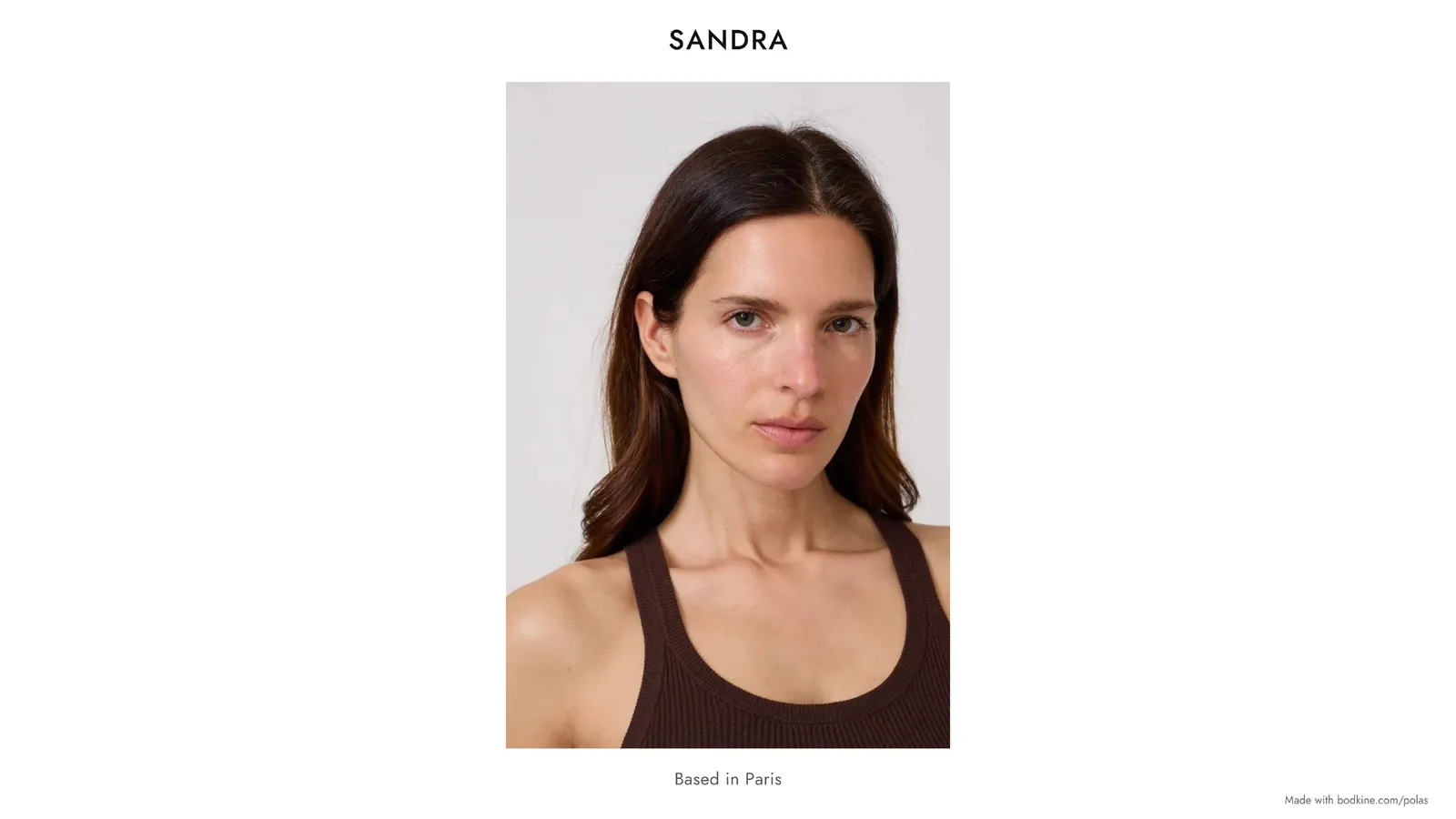
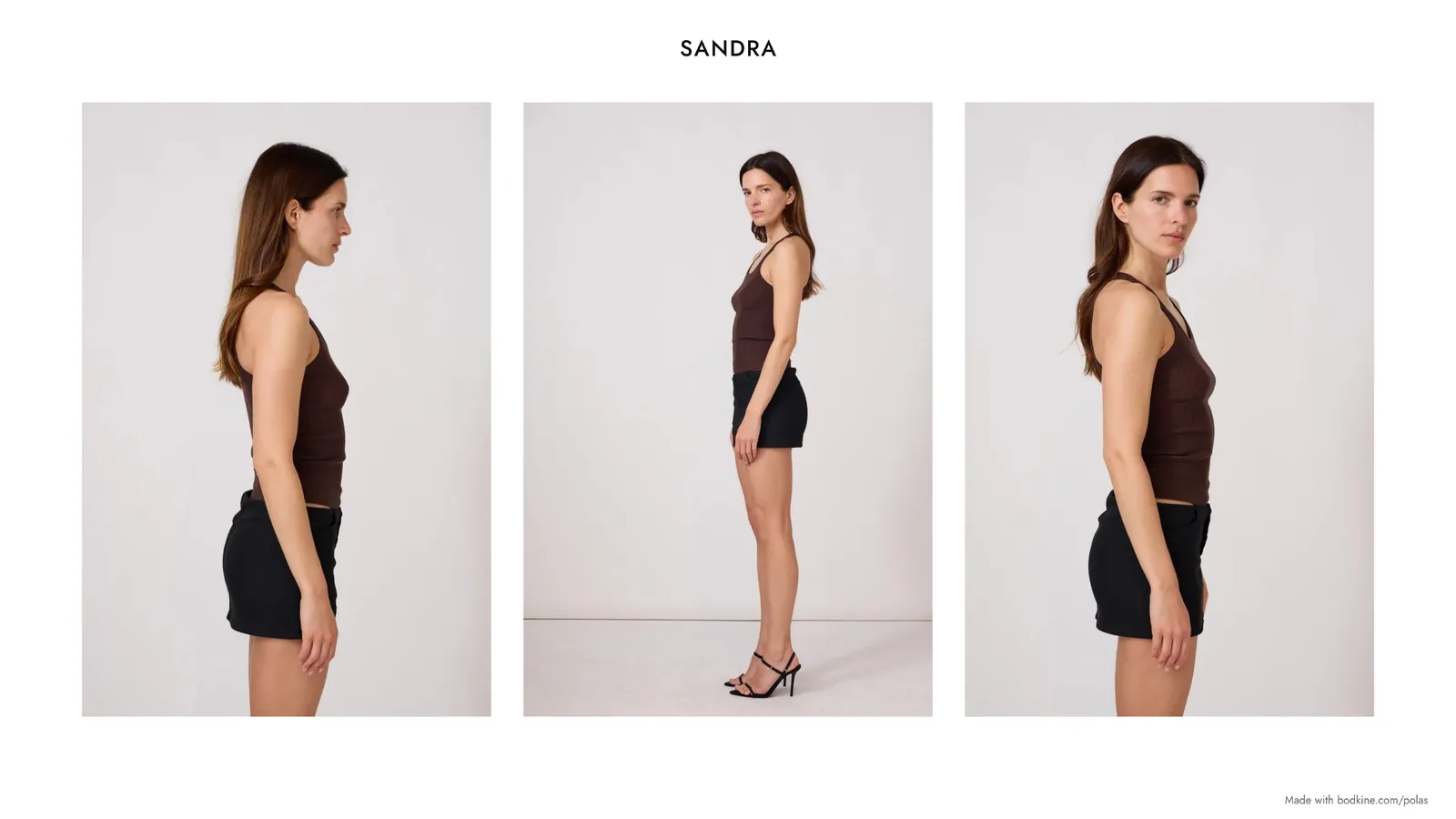
A landscape 16:9 PDF that reads well on a phone or a computer: a cover page with your name, city and measurements, then your digitals side by side, cropped to 2:3. Your name is on every page.
What are model digitals?
Model digitals (also called modeling digitals, polaroids or polas) are simple photos of you as you look today: no makeup, no retouching, no filter, against a plain background. Agencies and clients use them to see your face, your figure and your real measurements, while your book shows what you deliver on a shoot.
You send them to get signed, before a casting or an option, and whenever your look changes: haircut, hair color, body shape.
How to take model digitals with your phone
- Light
- Daylight, near a window. No direct sun, no flash.
- Background
- A plain light wall, nothing behind you.
- Outfit
- Fitted and plain, no logos or prints: a tank top and jeans, or swimwear if your agency asks for it.
- Face
- No makeup (or barely any), hair down, then pulled back if it's long. Smiling and not smiling.
- Poses
- Face front, profile, waist up, then full length from the front, the side and the back.
- Shooting
- Someone else holds the phone, at waist height for full-length shots. No digital zoom, no ultra-wide (0.5×) lens, no portrait mode, no filter: the person taking the photos steps back instead.
- Timing
- Update them about every three months, and after any visible change.
What agencies ask for
To apply, most agencies only want 3 or 4 phone photos: face, profile, waist up and full length, with no makeup or filter. Many set a maximum size per photo, sometimes under 1 MB. A legitimate agency never asks for nude photos or for money to sign you.
Once you're signed, your digitals travel as a sheet: your agent sends them to clients with your measurements. That's what this tool does: one clean PDF, your name on every page, ready to send by email or WhatsApp. If a form wants separate photos, use the ZIP.
Why use this tool
- Free, no account, no email.
- Your photos never leave your phone: the sheet is made in your browser, they are never uploaded or kept.
- Up to 20 digitals, cropped to 2:3, in the order you choose.
- Measurements in cm, inches or both, EU shoe size, hair and eyes. Any detail can be hidden.
- A light PDF for email, a ZIP of the original photos for forms.
- The same layout as in the Bodkine app.
Frequently asked questions
Is it really free?
Yes. No account, no email, no watermark on your photos. Only a small “Made with bodkine.com/digitals” line sits at the bottom of each page, away from the photos.
Are my photos uploaded anywhere?
No. The sheet is made in your browser, on your phone or computer. Your photos and details are never sent to Bodkine or anyone else, and nothing is kept: close the page and it's all gone.
Digitals, polaroids, polas: what's the difference?
None: three names for the same natural photos. “Polaroids” and “polas” come from the instant cameras used before digital; “digitals” is the most common word in English, especially in the US.
Digitals, book or comp card: what's the difference?
Your book gathers your best professional photos. A comp card (composite) is a fixed-format card: one photo on the front, a few on the back, with your measurements. Digitals simply show what you look like today, with no makeup or retouching.
Can I make a comp card with it?
Not exactly: a comp card is a fixed-format card, often printed. But your sheet's cover page (name, measurements, agency) does the same job by email, and many agencies now prefer recent digitals as a PDF.
What should I wear for digitals?
Something fitted and plain, with no logos or prints: a tank top and jeans, or swimwear if your agency asks for it. The point is to see your figure, not the clothes.
Can I edit my digitals?
No: no retouching, no filter, no skin smoothing. Agencies want to see your real skin and features. Cropping is fine: the tool crops to 2:3 for you.
How many digitals should a sheet have?
Enough to cover the basic poses: face front, profile, waist up, full length from the front, side and back, often 6 to 10 photos. The tool takes up to 20.
Do I need a photographer?
No. Agencies accept digitals taken on a phone, as long as they're sharp, in daylight and unfiltered. Some photographers also offer digitals sessions if you'd rather.
Which measurements should I include?
Height, bust, waist, hips and shoe size, plus hair and eye colour. You enter them in cm; the tool converts them to inches for the US or the UK.
Why is the PDF in English?
Because it goes to agencies and clients worldwide: “Height”, “Bust”, “Represented by” read everywhere. Shoe size stays in EU sizing.
PDF or ZIP: which one?
The PDF for an email or a message to your agency or a client: everything in one file. The ZIP holds your original photos, uncropped, for a form that asks for separate images. Some agencies don't open ZIP files: check first.
Does it work on iPhone and Android?
Yes, in Safari or Chrome. On some Android phones, HEIC photos won't open: save them as JPEG. Inside Instagram, open the page in your browser to share the PDF.
How do I send my sheet to my agency?
At the end, tap “Share the PDF”: your phone offers WhatsApp, Mail, AirDrop… In your message, say when the photos were taken and what changed since the last ones (hair, measurements).
How often should I update my digitals?
About every three months, and whenever your look changes. With the tool, a new sheet takes two minutes.
Does it work for everyone?
Yes, whatever your gender, age or experience: new faces, seasoned models, seniors.
What is Bodkine?
An app for models: castings, options and jobs in one calendar, payments and expenses, digitals and book. The Digitals Maker is one of its features, open to everyone. The app is in beta.
Your sheet, in two minutes
From your phone. Your photos are never uploaded or kept.
Someone starting out, your agency, your photo studio: the link is all they need.
My digitals
The first photo is the PDF cover. Tap a photo to crop or move it.
Add your digitals
Choose them from your phone's camera roll: 20 at most.
In the Bodkine app, this problem doesn't exist. Discover the beta
20 / 20: remove a photo to add another one.
In the app, your digitals are sorted with your own filters (lingerie, swimwear, outfit, or your own): a lingerie-only or outfit-only sheet takes one tap.
Drag the photo inside its frame, spread two fingers to zoom. Double-tap to recenter.
Strong zoom: the photo may look blurry in the PDF.
This is the PDF cover photo.
Order
Add your name to continue.
Your sheet
The PDF couldn't be prepared. Try again, or remove the last photo you added.
Inside Instagram, sharing files may not work. Tap ••• at the top right, then “Open in browser”.
Your sheet is ready
Next time, keep your digitals, your book and your jobs in one place: that's the Bodkine app.
Join the betaPriority access, about two emails a month.
The ZIP contains the photos as they are, without cropping.